
MSN
Microsoft CorporationNews & Magazines
4.515.07K Reviews
- Version
- Varies With Device
- Installs
- 10.00M
- Age Rating
- Everyone 10+
Screenshots



Our Review of MSN
 Analysis by Appyee
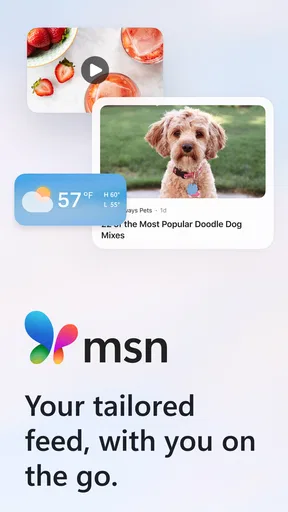
I usually open a news app with a simple goal: find out what matters, understand the main developments, and move on without spending the entire morning scrolling. That is the role MSN tries to fill on Android and iOS. It is a free news and magazines app from Microsoft Corporation, built around a personalized feed rather than a single newspaper or one narrow subject.
After using it as a daily starting point, I found it most useful when I wanted a broad overview. It can bring together current events, business, technology, entertainment, sports, lifestyle and other interests in one place. That convenience is also its central compromise: the experience depends heavily on how well the feed reflects my preferences, and a broad selection can sometimes feel less focused than a dedicated publication.
From a busy morning to a usable news shortlist
The starting condition for my typical session is not “I want to read one particular article.” It is closer to “I have a few minutes and need context.” That distinction matters. MSN works better as a discovery and catch-up tool than as a replacement for a carefully chosen newspaper subscription or a specialist research source.
On the first screen, I can scan headlines and decide which subjects deserve attention. The personalized approach saves me from opening several separate apps just to check whether anything important happened overnight. I can move from a general story to a technology item, then to a lighter feature, without changing services.
The app belongs to the News & Magazines category, but I would describe its practical purpose as a news dashboard. It is not simply a digital edition with a fixed front page. The value comes from the mixture of topics and the ability to shape what appears in the feed.
That makes it a sensible first stop for someone who wants variety. It is especially convenient for readers who follow several interests but do not want to maintain a long list of individual publisher apps. On the other hand, readers who prefer one editorial voice, a strict chronological timeline or a fully controlled list of sources may find the format too loose.
Setting up the first reading route
My first practical recommendation is to treat the initial feed as a draft, not a final judgment. A general-purpose news service needs some time and interaction before it feels personal. I pay attention to which headlines I open, which subjects I skip and which stories I mark as uninteresting when that option is available.
This creates a useful workflow: scan first, refine second, read third. If I immediately open every headline that looks dramatic, the feed can become dominated by the same kind of story. If I deliberately mix subjects and dismiss items that do not fit my interests, the later sessions become easier to navigate.
A non-obvious advantage is that this approach turns the app into a filter I can train through ordinary use. I do not need to make a complicated plan before reading. A few small choices during several short sessions can make the front page more relevant than the untouched default view.
There is a trade-off, though. Personalization can narrow my view if I only reward familiar subjects. For important public events, I prefer to browse beyond my usual interests instead of assuming that a tailored feed is automatically complete. The app helps with discovery, but it should not be treated as the only window onto the world.
Following the input-to-outcome workflow
My usual sequence begins with a quick scan of the top stories. I look for one headline that answers the immediate question, “What changed?” Then I choose a second item from a different topic. This prevents the session from becoming an endless chain of similar articles and gives me a better sense of whether the day’s feed is balanced.
When I open a story, I read the headline and opening paragraphs before deciding whether it deserves more time. That small habit is important because an attractive headline is not always a useful article. MSN is good at presenting many possible starting points, but I still have to judge the quality, depth and relevance of each item myself.
For a commuter, the workflow is straightforward: open the app before leaving, scan the feed, read one or two pieces, and keep a mental note of subjects that need deeper attention later. For a student, the same process can help identify current topics before moving to more authoritative sources. For a casual reader, it offers a low-effort way to stay connected without building a complicated news routine.
I would not use it as my sole source for a serious decision. If I needed detailed financial context, technical reporting or a complete account of a developing event, I would follow the story to a specialist publication or an original source. The app is a useful handoff point, not always the final destination.
Where the handoffs help and where they add friction
The most important handoff is from the feed to the individual article. MSN gives me the discovery layer, while the article provides the detail. That separation is convenient when I am browsing, but it also means the reading experience can vary from one source to another. Some pieces feel easy to consume; others may be less satisfying if I want a deeper explanation.
Another handoff occurs when I move from a headline to a topic I want to follow over time. The app can help me notice recurring subjects, but my own organization still matters. I may need to remember which story deserves a later check, especially when several articles cover the same event from different angles.
This is where MSN differs from a traditional newspaper app. A newspaper usually gives me a stronger editorial hierarchy and a more consistent writing style. A dedicated magazine app may offer greater depth in one field. An RSS reader gives me more direct control over sources. MSN sits between those options: easier to start than building a custom reader, broader than a single publication, but less predictable than either.
Compared with social media, I find the news-focused layout less distracting. I am not relying on a stream of personal posts to discover current events. Still, the app cannot remove the basic problem of online news: a large number of headlines can encourage shallow reading. My best results come from setting a small purpose for each visit rather than scrolling without an endpoint.
A practical tip is to use the feed for selection and another source for verification. If a story affects my work, money, travel or safety, I want more than one headline and a quick summary. This two-step workflow keeps the app useful without asking it to perform a job it was not designed to handle alone.
The everyday scenario that shows its strengths
Imagine a weekday morning when I have ten minutes before a meeting. I open the app and scan the personalized page instead of checking several separate services. I choose one major current-affairs story, one technology article and one lighter item. After reading the first two, I know which subject deserves a deeper look later and which headlines can wait.
The outcome is not a complete briefing. It is a short, workable shortlist. That is exactly where the app earns its place for me. It reduces the effort required to begin, helps me notice topics outside my immediate routine, and leaves me with enough context to decide what to investigate next.
The same workflow can work at lunch or in the evening, but I would change the goal. At night, I may use it for relaxed browsing rather than urgent updates. The broad mix is helpful when I want to move between serious and lighter subjects, although readers who want a calm, uninterrupted long-form session may prefer a dedicated reading app.
What the numbers suggest about its position
The app has a 4.5 average from around 302 thousand ratings, with roughly 15 thousand written reviews. It has passed 10 million installs, which places it among the more established choices for people looking for a general news companion. Those figures do not decide whether it suits me, but they do indicate that the product has reached a substantial audience.
It is free to use, and the content rating is Everyone 10+. The app was released on December 11, 2014, so it is not a new experiment trying to prove that a personalized news feed can work. Its long presence gives it the feel of a mature utility, even though the quality of any individual reading session still depends on the feed and the source behind each article.
I also appreciate that the developer is clearly identified as Microsoft Corporation. For someone already using Microsoft services, that may make the app feel like a natural part of an existing digital routine. For someone who wants a completely independent publication experience, the Microsoft connection may be less important than the actual mix of stories and the amount of control available.
Small techniques that make daily use better
My first technique is to separate discovery from deep reading. I do not try to finish every interesting headline. I use the opening scan to select a few items, then leave the app once I have enough information to choose my next step. This avoids turning a short news check into an unplanned time sink.
My second technique is to deliberately open subjects I would not normally search for. A personalized feed can become comfortable but repetitive. Choosing one unfamiliar category occasionally keeps the app useful as a discovery tool rather than merely reflecting my existing habits.
My third technique is to compare repeated coverage instead of reading every duplicate. When several headlines point to the same event, I select the clearest article first. If the subject matters, I then look for a more specialized or primary source. This saves time and reduces the frustration of reading multiple versions that add little new information.
A fourth useful habit is to judge the result of a session by what I can do afterward. If I can explain the basic development, identify what remains unclear and know where to continue, the app has done its job. If I have only collected alarming headlines without understanding them, the feed has become noise and I should stop scrolling.
Where the flow breaks down
The workflow breaks when I expect uniform depth from every story. A broad aggregator-style experience can introduce me to a subject quickly, but it cannot guarantee that every article will satisfy a reader looking for analysis, local reporting or specialist expertise. In those situations, I move to a publication with a clearer editorial focus.
It also breaks when I want complete control over the source list. An RSS reader or a carefully configured news app is better for someone who already knows exactly which publishers to follow. MSN is more convenient for open-ended discovery, but that convenience comes with less hands-on control than a manually built reading system.
Another limitation is the possibility of repetition. When several sources cover the same popular event, the feed can feel busier than it is informative. I handle that by choosing one article, checking whether it adds something meaningful, and then moving on instead of treating every headline as a separate development.
Readers who dislike personalized feeds should also think carefully before choosing it. If I want a fixed front page that looks the same for everyone, a traditional newspaper app is likely a better fit. If I want long, uninterrupted magazine features, I would choose a dedicated magazine service. MSN is strongest for flexible, mixed-topic browsing, not for a single editorial identity.
Who should install it and who should skip it
I would recommend it to someone who wants a free, broad news starting point, especially if that person follows several unrelated subjects. It suits busy readers who prefer a few short visits throughout the day and people who do not want to download separate apps for technology, entertainment, business and general current affairs.
I would also recommend it to anyone willing to shape the feed gradually. The experience improves when I interact with it intentionally rather than accepting every default recommendation. That small investment makes the app feel less like a random headline wall and more like a personal shortlist.
I would suggest skipping it if your priority is one trusted publication, deep specialist reporting, a strict source list or a fully chronological reading queue. In those cases, a dedicated publisher app, specialist service or RSS reader will probably provide a cleaner match. The free price is appealing, but free access does not remove the need to judge sources and manage attention.
For me, MSN succeeds as the first step in a news workflow. It takes me from a blank morning screen to a set of subjects worth exploring, and it does that with less effort than assembling the same overview manually. Its weakness is that the handoff from discovery to dependable depth is not always seamless.
My final recommendation is therefore practical rather than absolute: use it as a daily news dashboard, train the feed with deliberate choices, and switch to specialist or original sources when the stakes or complexity rise. If that balance sounds right, this established Microsoft app is a useful companion. If you want a single authoritative voice or complete control over every source, another option will serve you better.
Privacy and Permissions
See what permissions an app requests and how it handles your data.
- Location
- approximate location (network-based), precise location (GPS and network-based)
- Phone
- read phone status and identity
- Photos/Media/Files
- read the contents of your USB storage, modify or delete the contents of your USB storage
- Storage
- read the contents of your USB storage, modify or delete the contents of your USB storage
- Camera
- take pictures and videos
- Microphone
- record audio
- Wi-Fi connection information
- view Wi-Fi connections
- Device ID & call information
- read phone status and identity
- Other
- view network connections, full network access, change your audio settings, control Near Field Communication, run at startup, reorder running apps, set wallpaper, draw over other apps, control vibration, prevent device from sleeping, read Google service configuration
Verdict
Strengths of MSN
- Personalized news feed covers a wide range of topics and interests.
- Integrated weather forecasts are convenient for daily planning.
- Sports scores and updates are easy to access in one place.
- Microsoft account sync keeps preferences consistent across devices.
- Clean layout makes headlines and sections simple to browse.
Limitations of MSN
- News recommendations may become repetitive without regular preference adjustments.
- Some content opens external sites with different layouts and ad experiences.
- The app can use noticeable battery and data when alerts are enabled.
- Frequent notifications may feel excessive unless carefully customized.
- Certain features and content availability vary by region.
Other Releases by Microsoft Corporation
View All
Microsoft OneDrive
Productivity4.6

Microsoft OneNote: Save Notes
Productivity4.6

Link to Windows
Productivity4.0

Microsoft PowerPoint
Productivity4.8
Similar Picks in This Category
View All
Google News - Daily Headlines
Google LLC4.0

X
X Corp.4.8

Flipboard:Your Social Magazine
Flipboard3.4

Opera News: breaking & local
Opera4.5

Hindi News by Dainik Bhaskar
Dainik Bhaskar Group4.0

Way2News Daily News App
Way2News ( Formerly Way2SMS )4.6
Frequently Asked Questions
What is the MSN app used for?
MSN is Microsoft’s news and information app, designed to bring together personalized headlines, weather updates, finance information, sports coverage, entertainment stories, and other content in one place. After installing it, you can browse a broad selection of articles from different publishers, adjust some interests, and use the app as a daily information dashboard rather than relying on several separate apps.
Is the MSN app free to download and use?
Yes, the MSN app can generally be downloaded and used for free on supported Android and iOS devices. You can read news, check weather, follow markets, and explore other sections without purchasing a subscription. However, some articles may be hosted by external publishers that use paywalls, registrations, advertisements, or subscription requirements, so access can vary depending on the source.
Can I personalize the news and topics shown in MSN?
MSN offers personalization features that help make the feed more relevant to your interests. Depending on your device and app version, you may be able to select preferred topics, follow areas such as technology, business, sports, or entertainment, and indicate that you are not interested in certain stories. Signing in with a Microsoft account may also improve synchronization and personalization across devices.
Does MSN include weather, sports, and finance features?
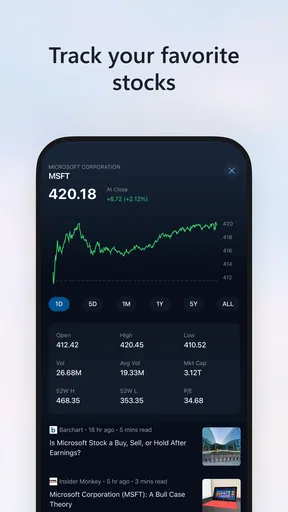
Yes, MSN is more than a standard news reader. It commonly includes weather forecasts, sports scores and updates, finance information such as market data, and additional lifestyle or entertainment content. The exact features and level of detail can depend on your location, language, device, and current version of the app. Some information may also be supplied by third-party providers.
Does the MSN app require a Microsoft account or constant internet access?
You can typically open and browse much of MSN without creating a Microsoft account, although signing in may provide better personalization, synchronization, and access to certain Microsoft-connected features. An internet connection is normally required to load current articles, forecasts, scores, and financial data. Previously loaded content may remain temporarily available, but the app should not be considered a full offline news reader.
